
CeScan 150 Turns Cessna 150 Familiarization Into an Interactive AR Learning Experience
CeScan 150 helps aviation learners explore Cessna 150 aircraft parts through augmented reality, interactive 3D visualization, labels, and focused educational content.
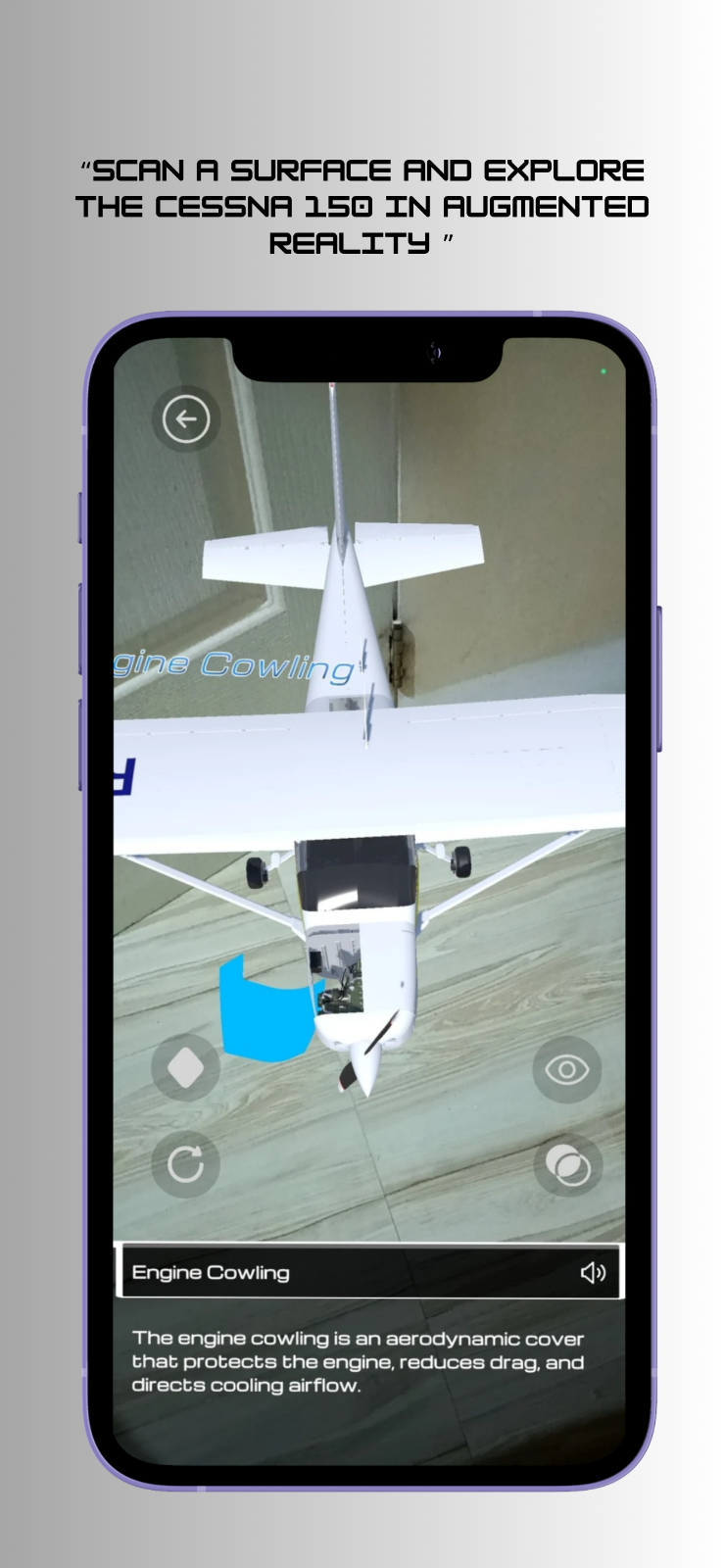
CeScan 150 has a clear and useful purpose: help people see, scan, and learn the Cessna 150. The app is an augmented reality aircraft familiarization tool designed around interactive 3D visualization, labels, and educational content. That makes it easy to understand what the product is trying to do. Instead of asking learners to study aircraft parts only through static references, CeScan 150 gives them a more visual way to explore the aircraft and connect names, shapes, and locations in one experience.
The listing places CeScan 150 in the Education category, and that fit feels natural. Aircraft familiarization is a subject where spatial understanding matters. It is one thing to read the name of a part, and another to see where that part sits in relation to the rest of the aircraft. By using augmented reality and 3D visualization, the app gives learners a way to approach the Cessna 150 as an object they can inspect, not just a topic they have to memorize.
Learning by Looking Closely
The most appealing part of CeScan 150 is how direct the interaction sounds. The tagline, See, Scan, and Learn the Cessna 150, describes a simple loop: bring up the aircraft, inspect it, and learn from what is shown. That loop works especially well for a familiarization app because the goal is not only to pass information along. The goal is to help the learner build a mental map of the aircraft.
Interactive 3D visualization gives the app a useful advantage here. A learner can understand aircraft parts more naturally when those parts are presented with shape and position. Labels then give that visual exploration structure, helping the learner connect what they are seeing with the correct terms. The educational content adds another layer, turning the view into something more than a model. It becomes a guided way to recognize and understand the Cessna 150 in parts.
A Focused App for a Specific Aircraft
CeScan 150 stands out because it does not try to cover aviation in a broad, generic way. It is specifically about the Cessna 150. That focus is valuable. A focused learning tool can be clearer, more memorable, and easier to return to because the user knows exactly what it is for. If someone wants to become more familiar with this aircraft, the app does not distract them with unrelated material.
That specificity also makes the product feel practical. The Cessna 150 is presented as the center of the learning experience, and every listed feature points back to that center. Augmented reality helps make the aircraft visible in a more immediate way. Interactive 3D exploration supports inspection. Labels support recognition. Educational content supports understanding. The app feels organized around one learning task, which is often the best shape for educational software.
Why Augmented Reality Fits the Subject
Augmented reality is a strong match for aircraft familiarization because aircraft are physical systems. Their parts are arranged in real space, and learners often benefit from seeing relationships instead of only reading descriptions. CeScan 150 uses AR to bring that spatial quality into the learning process. The app gives users a way to study the aircraft through a visual layer that feels closer to inspection than ordinary reading.
That matters for beginners and visual learners in particular. When the parts of an aircraft are presented in an interactive format, the learning process can feel less abstract. A label attached to a 3D part can make the term easier to place. A model that can be explored can make the aircraft feel more coherent as a whole. CeScan 150 uses the strengths of mobile platforms to make aviation study feel more tangible.
Built for Mobile Learning
The app is available on iOS and Android, and that availability is important for the kind of learning it supports. Aircraft familiarization does not have to be confined to a desk. A mobile AR app can be opened when a learner has a few minutes to review, compare parts, or reinforce what they have already studied. Because CeScan 150 is listed as free, it also feels approachable for people who want to explore the idea without a heavy upfront commitment.
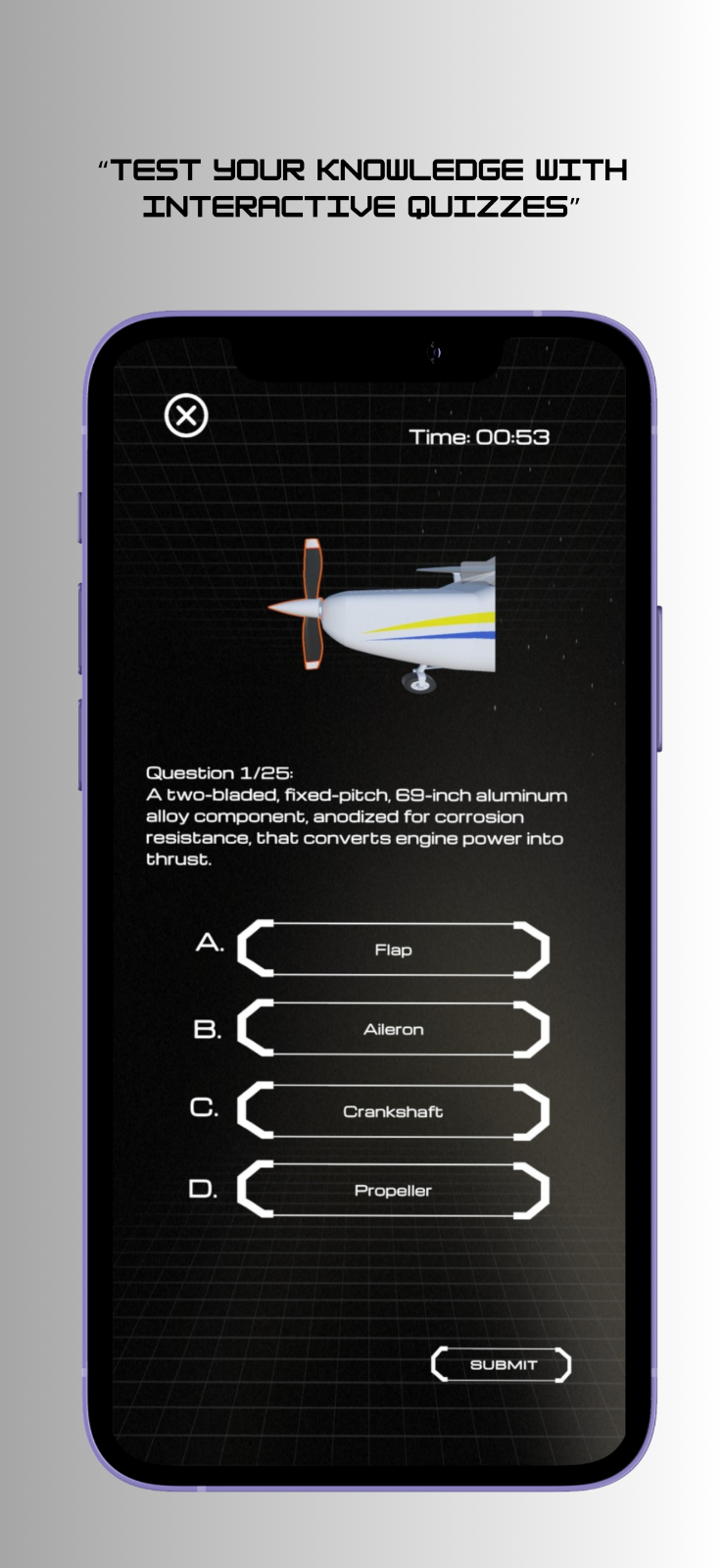
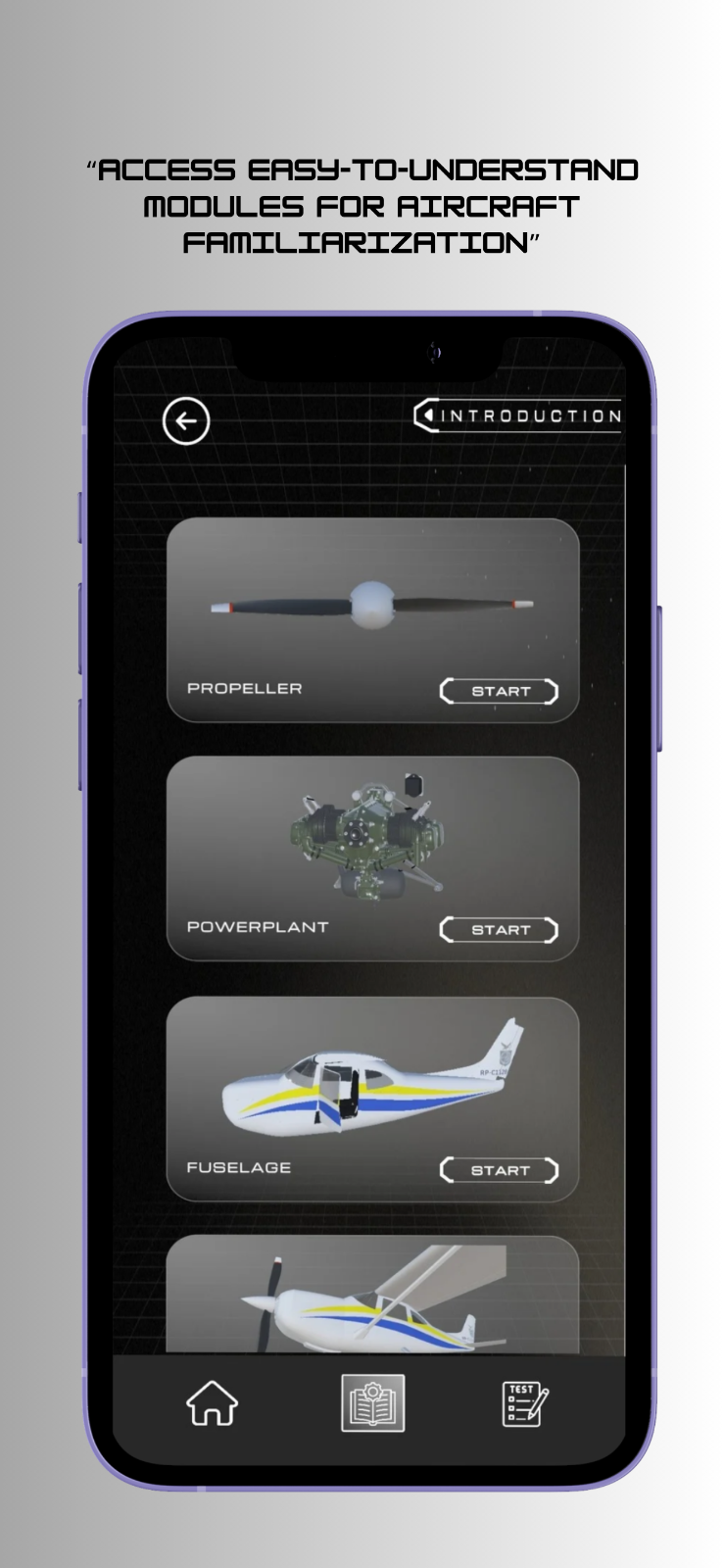
The screenshots attached to the listing reinforce the sense of a visual, guided learning experience. They suggest an app that wants the aircraft itself to be central, with the supporting information arranged around exploration. That is exactly the right emphasis for a product like this. The interface should help users look, identify, and learn without making the educational layer feel disconnected from the aircraft model.
A Useful Tool for Aviation Familiarization
CeScan 150 leaves a positive impression because its idea is easy to grasp and well matched to its medium. It takes a specific aircraft, the Cessna 150, and builds a learning experience around seeing it more clearly. The combination of augmented reality, interactive 3D visualization, labels, and educational content gives the app a practical structure for helping users become more familiar with aircraft parts.
What makes the app appealing is its restraint. It does not need to make a broad promise to feel worthwhile. It focuses on one aircraft and one learning need, then uses AR to make that need easier to approach. For students, aviation enthusiasts, or anyone beginning to learn the Cessna 150, CeScan 150 offers a clear and engaging way to turn familiarization into something more visual, interactive, and memorable.
View CeScan 150 on App Builders PH
CeScan 150 · image 1
CeScan 150 · image 2
CeScan 150 · image 3