
Wumilo: Private Tasks & To Do Keeps Task Management Fast, Private, and Focused
Wumilo is a freemium Android task manager built for private, clutter-free planning with natural language capture, voice input, reminders, focus mode, subtasks, widgets, insights, and local-first control.
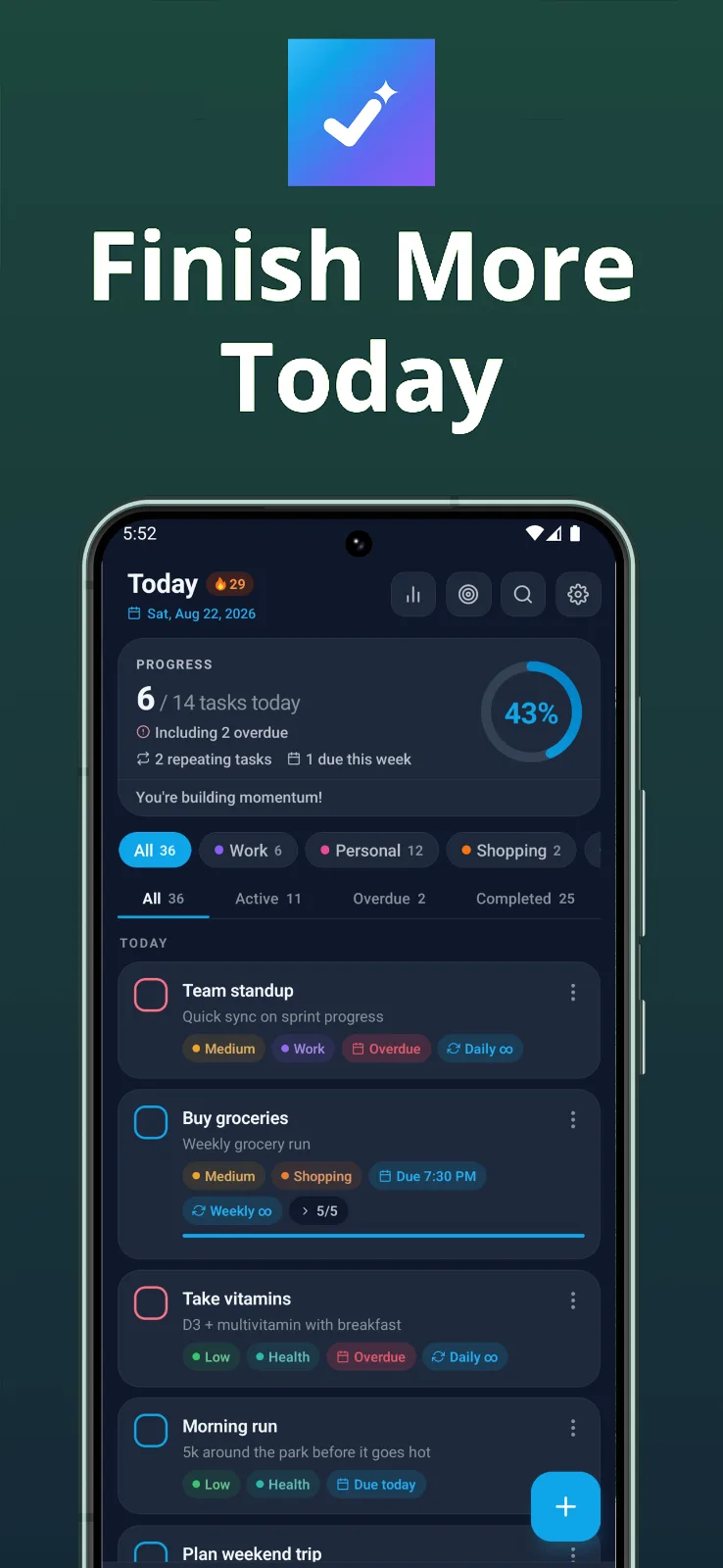
Wumilo: Private Tasks & To Do is built around a practical promise: help people get organized without making the task manager itself feel like another thing to manage. The app is a freemium Android productivity tool with a clear privacy-first posture, and its listing makes the tone easy to understand. It is meant to be fast, simple, focused, and personal, while avoiding accounts, cloud dependency, and tracking.
That combination gives Wumilo a useful place in the to-do app category. Many task managers grow into large planning systems, which can be powerful but also distracting. Wumilo seems more interested in the everyday loop: capture what matters, keep the important task visible, break bigger work into smaller pieces, and return to the list without friction. The tagline says it plainly: Beautifully simple, private to-do list. No accounts, no cloud, no tracking.
Fast Capture for Real-Life Tasks
The first thing that stands out is how much attention Wumilo gives to capturing tasks quickly. The listing mentions natural language input with smart date, time, and reminder detection, which is exactly the kind of detail that can make a to-do app easier to use in the moment. A person should be able to write something naturally, then let the app recognize the timing details instead of forcing every task through a rigid form.
Voice input adds another useful capture path. Some tasks arrive while walking, commuting, cooking, or doing something else with both hands already occupied. Being able to speak and turn words into tasks instantly fits the way reminders often appear in real life. The value is not just convenience. It reduces the chance that a useful thought disappears before it reaches the list.
Focus Without Losing the Bigger Picture
Wumilo also puts emphasis on Focus Mode, with the most important task kept front and center. That is a sensible feature because a long list can become its own source of pressure. Seeing everything at once is useful for planning, but getting work done often requires a narrower view. A dedicated focus area gives the user a way to decide what deserves attention now.
The app also supports subtasks, which helps turn larger work into manageable steps. That is a practical complement to Focus Mode. Big tasks can be hard to start because they hide several smaller decisions inside one line. Subtasks give those projects a clearer shape, and they make progress easier to see before the whole item is finished.
Reminders, Routines, and Organization
For everyday planning, Wumilo includes recurring routines with daily, weekly, monthly, or custom schedules. That matters because many useful tasks are not one-off reminders. They are habits, chores, maintenance work, and repeating responsibilities that need to come back at the right time. Handling those routines inside the same app keeps the system consistent.
The listing also mentions categories, priorities, sorting, and filters, which gives users room to organize tasks in a way that matches their life. Fast search across tasks, notes, and categories adds another layer of control. A task manager becomes more valuable as it fills up, but only if the older information remains findable. Search helps Wumilo stay useful after the initial clean-list feeling wears off.
Private by Design
The privacy section is one of Wumilo’s clearest strengths. The app requires no account, no login, no tracking, and no cloud dependency. The listing says data stays on the device unless the user chooses to export it. For a task manager, that matters. To-do lists can contain errands, names, health reminders, work details, personal notes, and unfinished plans. Keeping that information local by default makes the app feel more respectful of the user.
Backup and restore support keeps the privacy-first approach from becoming fragile. Local control is appealing, but people still need a way to preserve their tasks when changing devices or recovering from mistakes. Wumilo’s export-oriented model gives users a path to protect their information while still keeping cloud sync from becoming a requirement.
Progress You Can Actually See
Wumilo does not stop at task entry. It also includes completion rates, streaks, activity patterns, and productivity insights. Those features can make the app feel less like a static checklist and more like a record of momentum. For someone trying to understand their own habits, seeing patterns over time can be useful. It can show what is working, what keeps slipping, and where a routine might need to be adjusted.
Home screen widgets add another practical touch, with support for the focus task, task list, progress, and streak. Widgets matter because reminders are most useful when they appear where the user already looks. They can keep the day’s work visible without requiring a full app-opening session every time.
A Thoughtful Android Task Manager
Wumilo is currently listed for Android, with layouts optimized for phones, tablets, and landscape mode. That platform focus works well for a personal task manager because the app can meet the user in different daily contexts. The listing also mentions themes, accent colors, text sizes, and other personalization options, which gives the experience room to feel comfortable rather than generic.
The app leaves a positive impression because its features support one coherent idea. Capture is fast, organization is flexible, focus is deliberate, progress is visible, and privacy is treated as a default rather than an add-on. For Android users who want a task manager that stays simple while still handling reminders, routines, subtasks, widgets, and insights, Wumilo: Private Tasks & To Do looks like a grounded and appealing way to keep important work in view.
Wumilo: Private Tasks & To Do · image 1
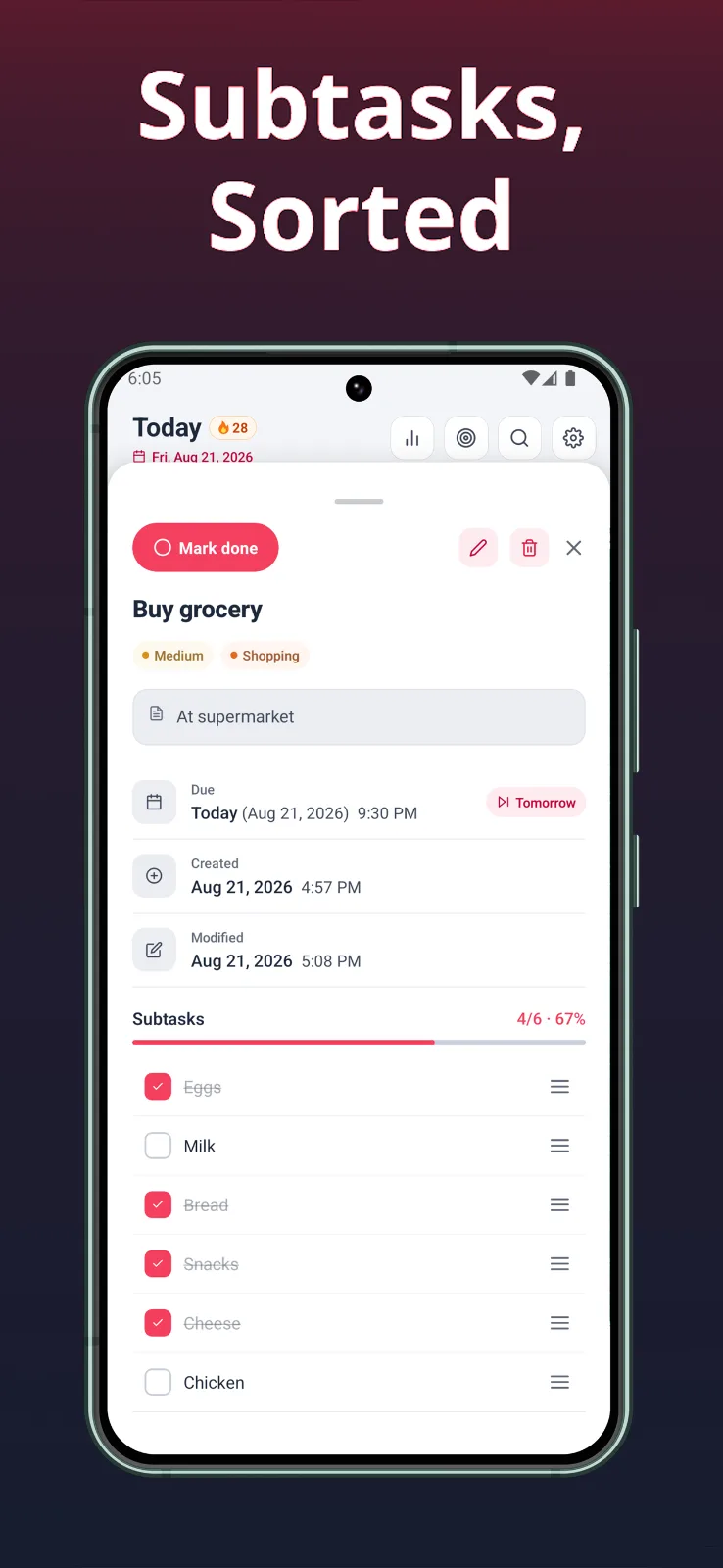
Wumilo: Private Tasks & To Do · image 2
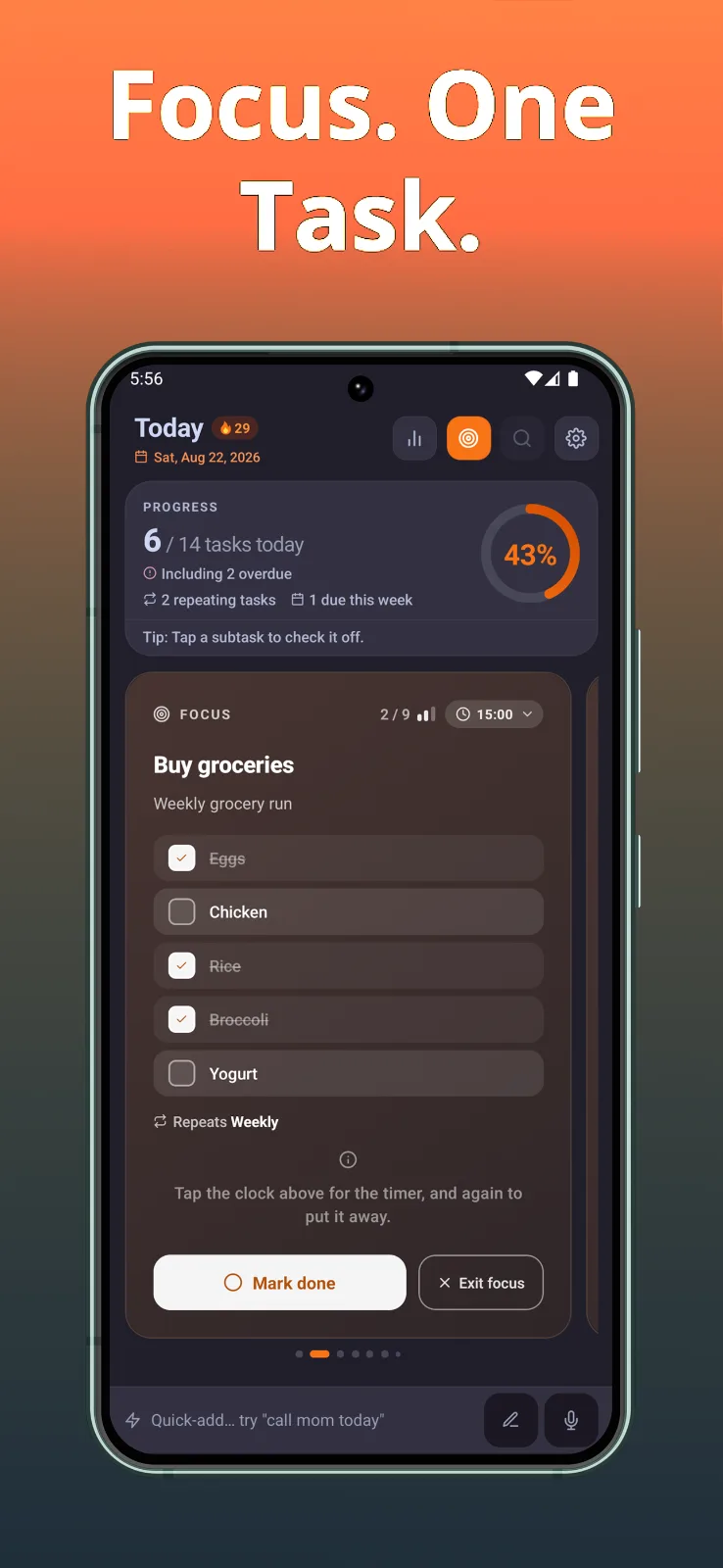
Wumilo: Private Tasks & To Do · image 3
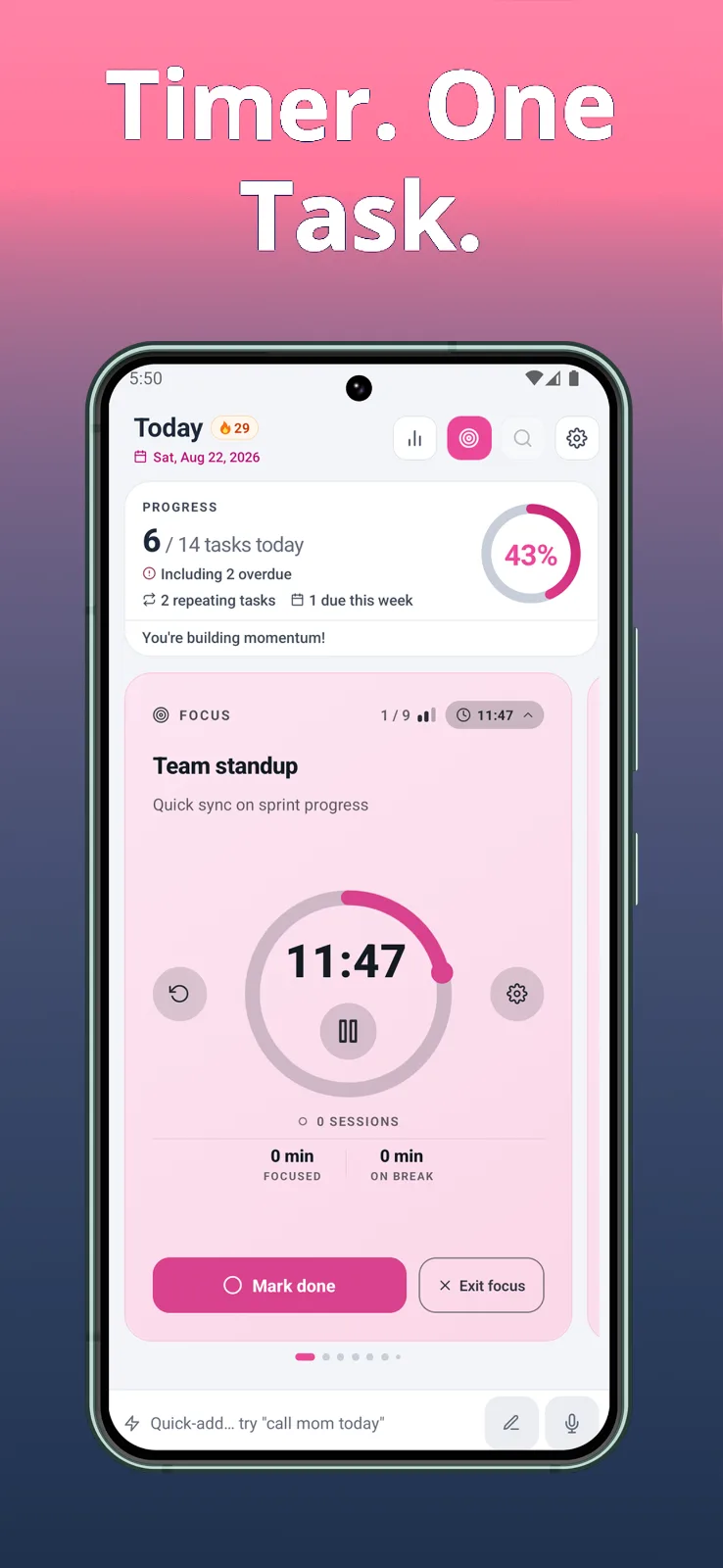
Wumilo: Private Tasks & To Do · image 4