


About Stenn - Text Expander
Whether you are managing complex projects or simply trying to build better daily habits, Stenn provides the tracking and reward mechanics necessary to optimize your output.
Core Features:
• Gamified Progression: Turn daily routines into measurable achievements. Stenn applies interaction rewards to drive sustained focus and activity.
• Daily Activity Tracking: Monitor your continuous engagement with precision. Your daily actions are logged to provide a clear, historical view of your productivity streaks.
• Dynamic Workspace Management: Seamlessly handle custom workspace codes and environments. Configure your browser to match the exact context of your current project.
• Persistent Secure Sync: Never lose your progress. Your activity states and configurations are saved locally for speed and securely synchronized in the cloud so you can transition seamlessly between authenticated sessions.
Privacy & Security:
Your data serves your productivity, nothing else. Stenn collects only the metrics required for core gamification and tracking functionalities. We employ robust, enterprise-grade cloud synchronization to keep your data secure, and we strictly prohibit the sale or commercial exploitation of your personal information.
What's new on v0.10.0?
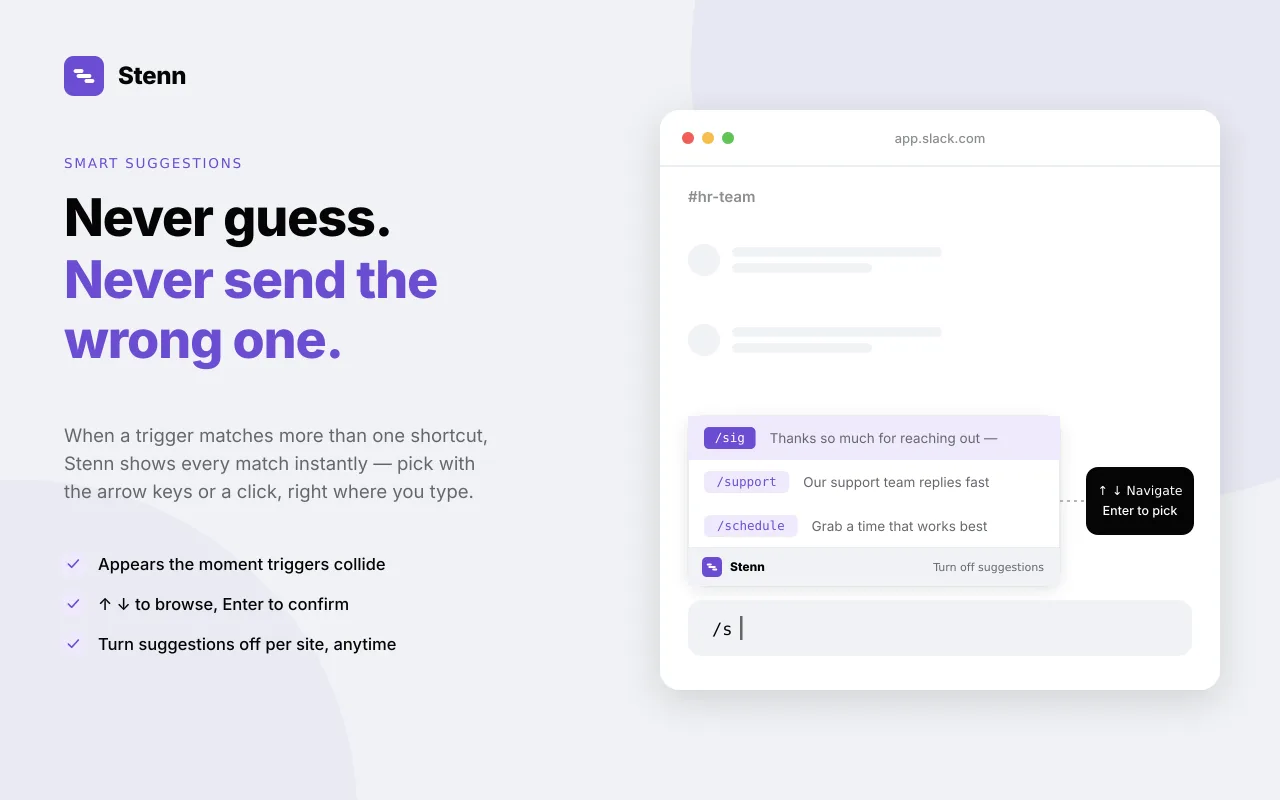
Shortcut suggestions instead of instant expansion: Typing a shortcut now shows a small popup with your closest matches instead of firing instantly — so it can never silently interfere with a site's own / commands. Use arrow keys, Tab, Enter, or a click to insert.
Dynamic dates and time-of-day text: Add {{date}}, {{date+3d}}, or a {{if morning}}...{{/if}} block to a snippet and Stenn fills it in at the moment it expands.
Expansion history and data export: Settings now shows a rolling 30-day log of which shortcuts you've used, and a one-click export of your whole library.
Shortcut conflict warnings: Creating a shortcut that's easy to confuse with an existing one now shows a heads-up before you save.
Fixes:
-Streaks and daily activity now use your local date instead of UTC, so the day doesn't roll over at the wrong time for your timezone.
-The extension popup now correctly follows Dark mode — previously only the full Settings page did.
-The vault's unlocked key now persists across a full browser restart for 30 days of inactivity, instead of re-locking every time Chrome closes.
Screenshots
Comments
0Sign in to join the discussion.
Sign in to commentReviews
0Based on 0 reviews
No comments yet. Start the discussion with something useful.